
Gamdom Casino Registration
Gamdom Casino registration takes 2 to 3 minutes and creates your account on gamdom--casino.com. We keep access personal: one person, one account. Players in New Zealand can prepare their contact details before starting, then follow our confirmation process. Read each entry carefully before submitting so that later identity checks match the information supplied during sign-up.
Before You Register at Gamdom Casino
Prepare for Gamdom Casino registration with a working email address or mobile phone, plus a device connected to the internet. Players in New Zealand must be at least 18. Supply real details that match official records rather than a nickname or borrowed information. Keep access to whichever contact method you choose, since we send a confirmation message there. An existing profile means there is no need to open another; recover access instead.
Completing Gamdom Casino registration gives you access to games, deposits, withdrawals and our support service. Choose a comfortable place to read instructions without rushing through important choices. For players in New Zealand, setting an entertainment budget before adding funds helps keep spending deliberate. Decide what remains affordable after everyday expenses, and leave essential money untouched. Gambling should fit around other activities, not replace them. Take a break whenever play stops feeling enjoyable.
How to Register at Gamdom Casino
Start Gamdom Casino registration with your contact details ready and enough time to review each field. For New Zealand, a mobile number can use the format +64 21 123 4567. Enter your own reachable number rather than copying this example. Follow these steps in order, keeping the confirmation message available until access is complete.
- Type gamdom--casino.com directly into your browser.
- Press Registration to open our sign-up form.
- Enter an email address or phone number and create a password.
- Select New Zealand dollars, shown as NZD, and your country. The currency choice cannot be changed later.
- Confirm age eligibility and acceptance of our terms after reading them.
- Enter the code or follow the link we send, then sign in.
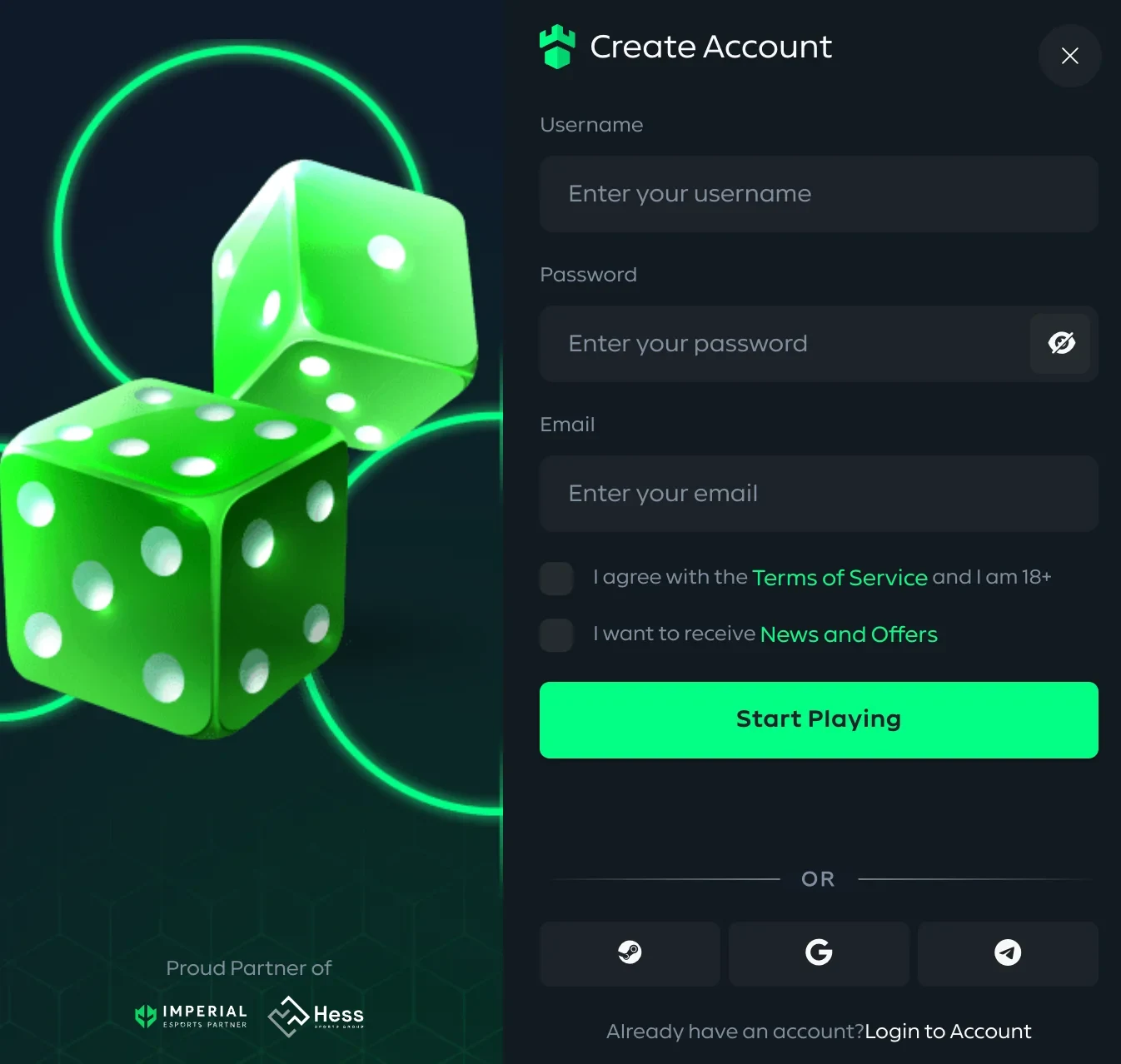
Before completing Gamdom Casino registration, inspect the browser address carefully. Fake copies exist, so compare every character with our domain rather than trusting a familiar logo. Stop if an address differs. Avoid entering personal details through an unexpected message, and return through a fresh browser tab when anything looks unfamiliar.
Data You Provide
Our form collects contact and access details first; legal identity information comes later during verification. Players in New Zealand should distinguish a preferred contact address from a residential address used for identity checks. Keep entries accurate from the outset, including spelling. The table separates initial requirements from details requested when we confirm who holds a profile.
| Data | When We Ask | Requirement |
|---|---|---|
| Email or Phone | Sign-up | Reachable; confirmation code of 6 digits, valid for 15 minutes |
| Password | Sign-up | At least 8 characters; at least 1 letter and 1 number |
| Currency | Sign-up | 1 currency per account |
| Country | Sign-up | 1 country per account |
| Name and Date of Birth | Verification | Legal name; minimum age eligibility |
| Address | Verification | Proof not older than 3 months |
If supplied information differs from supporting records, we need that mismatch resolved before completing identity checks. Do not replace a genuine detail with an invented entry simply to move forward. Explain an error through our support service instead. Accurate spelling and a current residential address help prevent avoidable questions when documents are reviewed.
Gamdom Casino Account Verification
Gamdom Casino registration establishes login access; verification confirms the identity behind it. We request your legal name, date of birth and residential address at this stage. These details connect submitted records with the person using our service. Treat the process as a separate check rather than assuming that confirming a contact method proves identity. Keep personal information consistent throughout.
Identity preparation after Gamdom Casino registration means gathering valid, unexpired photo ID and proof of address. In New Zealand, examples include a passport or driver's licence, supported by a utility bill or bank statement. Document requirements differ. Photograph records clearly, with readable text and all edges visible. Avoid glare, cropped corners or objects covering important information.
Plan for verification after Gamdom Casino registration before requesting the first withdrawal. This check is needed once, and our review takes from a few hours to 3 business days. Submit clear records together so we can compare them with profile details. Respond carefully if we request clarification, keeping explanations specific to the issue raised rather than sending unrelated personal material.
Steps After Registration
After Gamdom Casino registration, move through these practical checks before settling into play. Players in New Zealand should keep spending decisions separate from excitement about trying something new. Start with accurate profile details, understand any conditions relevant to your next action, and leave yourself room to pause rather than rushing into a deposit.
- Review your profile. Sign in and read saved details carefully. Resolve mistakes before proceeding.
- Consider our Welcome Offer. Once you have completed all the steps, you can take our welcome bonus: Welcome Offer. Full conditions are in the bonus section of gamdom--casino.com.
- Set a deposit budget. Add only money already allocated for entertainment. Never use funds reserved for bills.
- Explore a few games. Following Gamdom Casino registration, start with a small selection of titles. Read their rules before committing money.
- Choose personal limits. Set boundaries for time and spending. Visit our responsible gaming page for further guidance.
Keep gambling as entertainment, never as income or a solution to financial pressure. Stop when reaching either boundary, regardless of recent results. Chasing losses changes a planned activity into unplanned spending. For independent help, contact Gambling Helpline and explore its information about safer choices and gambling-related harm.
Gamdom Casino Account Security
Protect access from the moment Gamdom Casino registration is complete. A private login belongs only to its holder, even when someone offers help with a technical problem. Keep credentials away from messages, screenshots and shared notes. Simple habits reduce unnecessary exposure while leaving control firmly with you.
- Choose a strong, unique password that is not used elsewhere.
- Never share confirmation codes with another person.
- Sign out after using a shared device.
- Type gamdom--casino.com yourself rather than following unfamiliar links.
- Keep contact details current so important messages remain reachable.
Continue these habits beyond Gamdom Casino registration, including after changing devices or contact information. We never ask for your password by message. Treat any request for that secret as a reason to stop responding. Seek assistance through our support contact instead of giving an unknown sender access to private credentials.
Troubleshooting Gamdom Casino Registration
An interrupted Gamdom Casino registration can result from a mistyped contact detail, an undelivered code or a password that fails our requirements. Selecting the wrong country or currency also needs attention before proceeding. Players in New Zealand must meet our age requirement, and duplicate profiles are not permitted. Read the displayed message carefully rather than submitting repeated guesses. Identify which entry caused the problem first.
To resolve Gamdom Casino registration difficulties, review spelling, inspect your spam folder and confirm phone reception. Compare entered details with intended choices before trying again. If trouble continues, write to support@gamdom--casino.com with the step involved, what appeared onscreen, your device and browser. Describe any error text accurately. Never send a password or confirmation code; those secrets are not needed to explain a technical issue.
Last updated: